How Content Information Sites, Integrated Search Services, and Actual Playback Platforms Perform Different Roles
Looking for a movie or TV show online frequently leads to a confusing digital experience. You might land on a webpage filled with a detailed plot summary, high-resolution cast photos, and enthusiastic user reviews, only to spend ten minutes clicking around searching for a “Play” button that simply does not exist. Alternatively, a Google search might lead you through an endless chain of external website links without ever starting the video.
This common web frustration happens because the entertainment internet is divided into three completely different functional layers: information catalog sites, search aggregators, and actual streaming playback platforms. Recognizing which type of website you are currently looking at saves you time and stops you from getting stuck in dead-end search loops when a video won’t play.
How the three layers of the movie web work
To understand why a webpage behaves the way it does, you must understand its specific job in the online entertainment ecosystem.
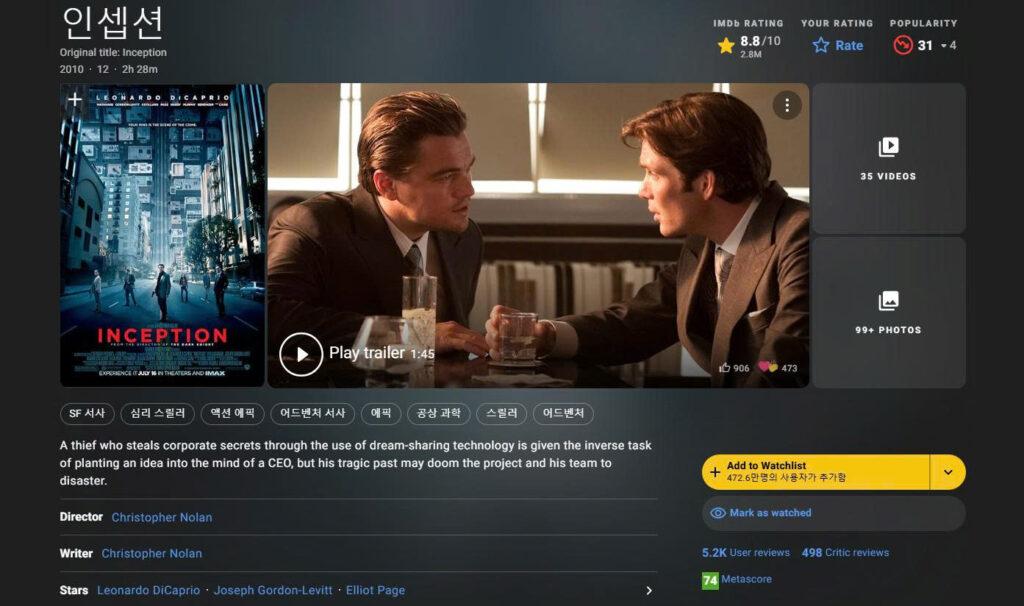
Information sites that store plot summaries and cast lists
Sites like IMDb, Letterboxd, Wikipedia, and Namuwiki operate as digital encyclopedias. Their sole purpose is to answer the question: “What is this movie?”
These platforms host text, release dates, actor biographies, director credits, and historical trivia. However, they do not own video streaming licenses, nor do they host actual video files. Reading a full movie synopsis on IMDb tells you that a movie exists in history, but it offers zero capability to stream the film.
Search engines and aggregators that point to external links
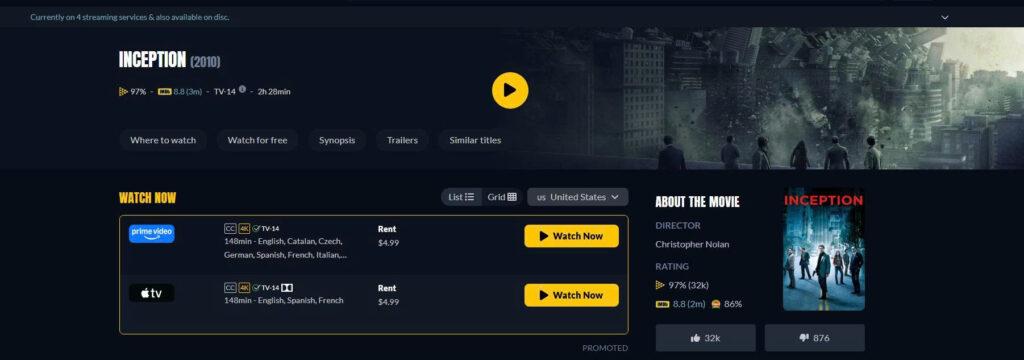
Services like Google Search, Yahoo, and specialized aggregators like JustWatch operate as digital traffic guides. Their sole purpose is to answer the question: “Where can I find links about this movie?”
When you type a movie title into JustWatch, the site scans external web databases and displays a list of streaming apps that allegedly carry the title in your region. Aggregators do not store video files or host video players; they simply point your browser toward external third-party portals.
Streaming apps that host actual video files and playback software
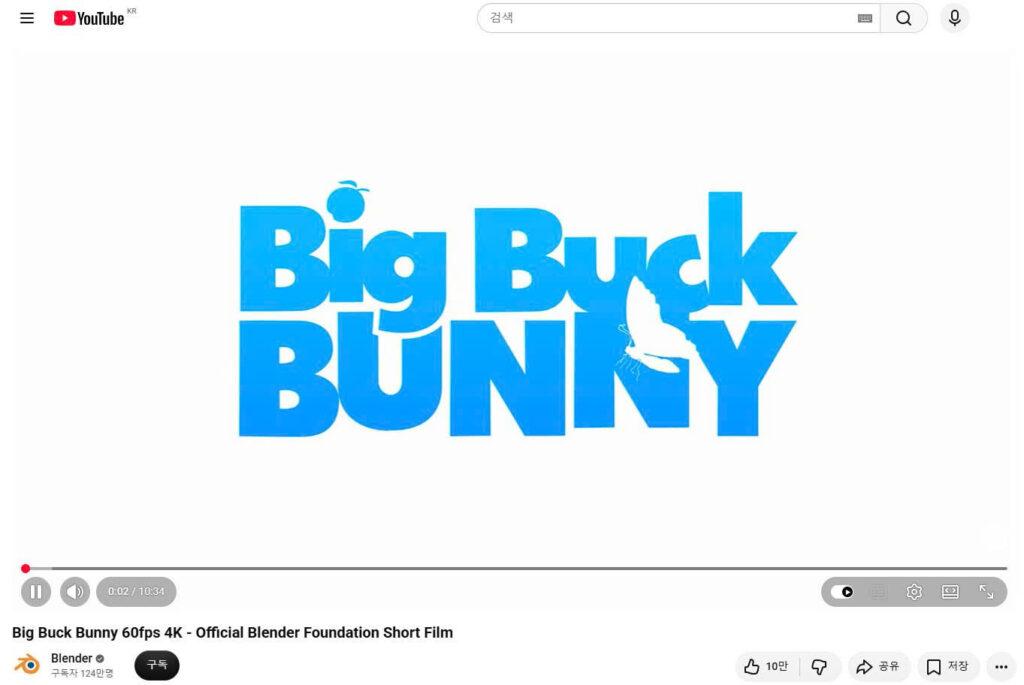
Actual playback platforms – such as Netflix, YouTube, Hulu, Disney+, and Tving – are the only websites capable of playing video. Their sole purpose is to answer the question: “How do I watch this video right now?”
These platforms host heavy video files on specialized global servers, manage user account subscriptions, handle video resolution scaling, and enforce digital copyright licensing. Without an active playback platform, data from information sites and search engines is merely text on a screen.
A quick guide to identifying web page types and their limits
To identify which layer of the web you are currently visiting and understand what that specific page can or cannot do, use this simple reference guide:
| Page type you are on | Visual signs on screen | What this page can do | What this page CANNOT do |
| Information Catalog (e.g., IMDb, Wikipedia) | Full plot summary, star ratings, cast list, zero video player. | Tells you if a movie exists, who acted in it, and when it released. | Cannot stream the video or tell you if your local app carries it. |
| Search Engine / Aggregator (e.g., Google, JustWatch) | List of external website links, platform logos, search bar. | Shows you which websites or apps might have information or streams. | Cannot bypass streaming paywalls or fix broken video links. |
| Streaming Playback App (e.g., Netflix, YouTube) | Video player window, “Continue Watching” row, login prompt. | Streams the actual video file, manages video quality, and handles subtitles. | Cannot play movies that are not currently licensed in your country. |
On-screen signs that show whether you can watch the video
Recognizing visual layout cues on your screen allows you to determine immediately whether you are on a real streaming service or a static text page.
Catalog pages with synopses but no working play button
If you land on a page that features star ratings, character names, user reviews, and long paragraphs describing the ending of an episode, you are looking at a catalog page.
These sites frequently display promotional trailers or fan-uploaded clips in a small video box, leading casual users to mistake them for full-movie players. However, if the main video box only plays a 2-minute teaser and contains no controls for full episode playback, you are on an information site. No amount of clicking or page refreshing will turn that text summary into a full-length movie stream.
Streaming player screens with account logins and continue watching rows
A real playback platform looks fundamentally different from an information catalog. When you open a genuine streaming service like Netflix, YouTube, or Hulu, the screen is dominated by interactive video controls.
Look for features like a prominent “Play” or “Resume” button, a “Continue Watching” row linked to your personal profile, quality selection toggles (1080p/4K), subtitle language settings, and an active account login avatar. If these interactive playback controls are present, you are on an actual execution platform capable of streaming media.
Why reading movie synopses will not fix missing video buttons
When a movie fails to play, many web users make the mistake of staying on Google or re-reading movie synopsis pages, searching for a hidden link.
Permanent database records versus temporary streaming rights
The main reason for user confusion is the difference between database permanence and streaming licensing. An entry on IMDb, Wikipedia, or a movie blog is a permanent historical record. Once a movie is made, its IMDb page stays online forever.
Streaming platforms, however, operate on temporary licensing contracts. Netflix or Hulu might buy the rights to stream a movie for twelve months. When that contract expires, the streaming app removes the movie from its library. The movie still exists on IMDb because it is a historical fact, but it no longer exists on Netflix because the streaming license ended.
Practical steps when a show disappears from your streaming library
If you know a movie exists because you saw it on an information site, but your streaming app shows no “Play” button, stop re-reading the information site. Reading the plot summary again will not restore the missing video file.
Instead, follow these practical troubleshooting steps:
- Search the Streaming App Directly: Open your streaming app’s internal search bar and type the exact title. If it does not appear, the platform does not currently hold the license to stream it in your region.
- Verify Your Account Region: Check if your streaming account is set to the correct country, as licensing agreements vary strictly by geographic location.
- Use a Dedicated Aggregator: Open a search aggregator like JustWatch to see if a competing platform currently holds the active streaming rights for your country.